
Oh, honey, imagine this: You’re doom-scrolling TikTok at 2 AM, fueled by cold Starbucks leftovers and the dread of working from home in a hellhole. All of a sudden, a video pops up—some glow-up guru selling “reseller riches” on Meesho, an Indian app that is getting a lot of attention right now. “Zero investment!” Income that comes in without you doing anything! “Be your own boss!” they yell, while you sit there with a ramen budget and dream of quitting your DoorDash job. Does this sound familiar? Yes, me too. I jumped into the Meesho Seller Panel like a stampede victim on Black Friday, expecting it to be as easy as Amazon, but instead it was a spicy mix of Excel hell and customer service nightmares. Don’t worry, fellow broke millennials and Gen Z hustlers—this Meesho Seller Guide is your unfiltered lifeline. We’ll make fun of the glitches, the KYC circus, and get you selling sarees (or whatever) without going crazy. Get ready for a bumpy, funny ride.

Step 1: Signing Up Without Giving Up Your Soul (or Aadhaar Card)
Okay, new people, let’s start with the “easy” part: signing up. Download the Meesho app. You don’t need a computer when your phone is already a black hole of notifications. Then tap “Become a Seller.” Boom! You hit the KYC wall. What is a PAN card? Check. What are your bank details? Give them to me. Aadhaar? Not my biometric data for some side business, no way. But really, it’s required, like showing your ID at a dive bar. Fill it out, upload
blurry selfies (a tip: use natural light instead of the fluorescent lights in your bathroom), and hope the gods of verification smile on you.
Truthfully, it takes 24 to 48 hours, unless you’re cursed, in which case you have to wait a week. Why does Indian bureaucracy move faster for UPI scams than for real businesses? It’s time for a rhetorical question: Did you ever sign up for Venmo and think, “This is too easy”? Meesho is the opposite of Venmo; every click screams “business software from 2005.” Congratulations! You’re on the panel. Don’t celebrate with Uber Eats just yet. Vibes for your username: Choose a professional name, not “DiscountQueen69.” Business details: GST? It’s not necessary at first, but if you’re growing, you should get it. Don’t skip, or you’ll regret it later.
Bank link: Instant payouts sound great, don’t they? In reality, there is a 7-day hold because of trust issues.
Step one of this Meesho Seller Guide is your gatekeeper. If you mess it up, you’ll be like that friend who “tried dropshipping” and now sells pictures of feet.
How to Get Around the Dashboard: Where Dreams Go to Buffering Hell Welcome to the Seller Panel proper. It’s like a fever dream Excel sheet made by a caffeinated intern who works for Shopify. You can log in through the app or the web (the web is clunkier, but you can do both at the same time). The main page? A messy grid with “Orders,” “Products,” “Analytics,” and “Wallet.” It’s like your group’s group chat: too much going on, but there’s gold in there.
Hot take: If you have ADHD, this is torture for you. Filters? Not much. Look? Not working right. Pro tip: Take a screenshot of everything. Meesho’s UI changes like my ex—out of the blue and without warning.
Let’s break it down, fam:
Orders tab: Waiting, shipped, and delivered. Mark them quickly or pay return fees. Customers disappearing? Chase through WhatsApp integration (yes, it’s there, but hard to find).
Products: Do you want to upload listings? Hellscape. Stock photos from your iPhone? No, use their editor to crop, add a watermark, and hope it doesn’t pixelate. Analytics: Sales graphs that look like a drunk EKG. Keep an eye on “units sold” vs. “cancellations” to see which products don’t sell (hint: the “trendy” phone case that no one wants).
As a side note, remote work taught us how to deal with Zoom fatigue. Meesho adds “dashboard rage.” I once spent 20 minutes looking for “payouts” only to find it under “Finances.” Facepalm forever.
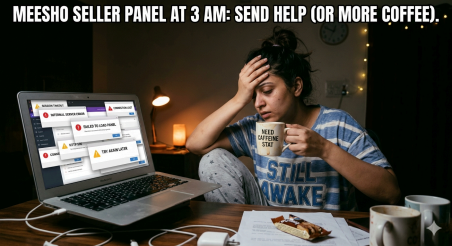
Another great Meesho Seller Guides tip: Set up notifications the way you want them. Stop the spam, or your phone will buzz like a bad Tinder date.
Listing Products: Because the “Add to Cart” Magic Isn’t Free
Now, the meat: putting your goods up for sale. Are you selling? Get cheap stuff from suppliers (like Alibaba, but in your area). Do you own stock? Good luck keeping track of your inventory. Click “Add Product” to get the form from hell, which has a title, description, price, size/color variants, and shipping information.
Roast that hasn’t been filtered: What do you mean by “descriptions”? Write like a Black Friday ad that needs to sell: “Soft tees that won’t shrink like your ex’s promises!” Meesho’s algorithm likes 20–30% margins for new sellers, so price competitively. Why? Fees take 10–15% of each sale, plus shipping problems.
Rhetorical flex: Have you ever thought about why TikTok shops are so popular? Quick videos. Meesho? You can upload 5 to 9 pictures and one video. Get some laughs (and clicks) by filming your dog wearing socks.
Quick list to not be bad:
Titles: “Women’s Cotton Kurtas Under $10, Festive AF” is full of keywords but still easy to read.
Prices: Beat competitors by $1. Want to make money? Don’t sell anything. Shipping: Work with their logistics or do it yourself. Delays mean one-star nukes. Promos: Get more listings for pennies. Is it worth it? Yes, for things that sell well. This is a hack for the Meesho Seller Guide: Search to spy on your competitors. Don’t copy their spirit; copy their structure. Scale up to 50 listings in Week 1 and watch the orders come in (or not, lol).
Orders, shipping, and the customer service thunderdome. Are orders coming in? In a state of panic. Bubble wrap or bust: pack like a pro. Make a label from the panel, stick it on, and drop it off at the pickup point. Tracking? Mostly auto-syncs.
Check the facts: returns are bad. Average rate of 15%—fix with better pictures and quality assurance. Problems? Panel is your stage; upload proof or lose money.
Customers? Karens on steroids. They complain in chat, “Wrong color!” You have two hours to respond or you’ll be flagged. Tip: Emojis stop bombs.
Pop culture reference: It’s like Squid Game, but with packages. Get the “Power Seller” badge after 30 days of survival—bragging rights on LinkedIn.
Refunds: Right away for peace.
Analytics deep-dive: Get rid of losers and put more money into winners. Payments: once a week, minus fees. The first one is $50. Frame it.
Scaling Up: From “Quit My Job” Delusions to a Side Hustle
You have traction? Get better. “Ads Manager” for promoted listings—like Google Ads lite for bidding. Networks of suppliers? Meesho has them. What about analytics now? Focus on “conversion rate” (aim for 5% or more).
Sarcastic pep talk: Don’t give up on your 9–5 job yet. One viral skirt run costs $500. Is that normal? $2,000 a month. Taxes? Hell is waiting for GST.
The last part of Meesho Seller Guides is about communities on Reddit and Facebook. Real sellers talk about problems (like when the app crashes during busy times). You really read all of this? Legend.
Congratulations, hustler—you made it through my sarcastic marathon without giving up. Now go beat that Seller Panel, pile up those rupees (you can change them to dollars through Wise, of course), and maybe get some better coffee. Or don’t—stay poor and blame me. It’s up to you. Future business mogul? No, but closer than yesterday. If you send your first order, please leave a comment. Peace.

Leave a Reply